Observer Role in Canvas

The Observer role in Canvas is a type of user account that has authorized access to observe academic performance in Canvas. An observer account is associated to a student to view their grade performance. Observers have limited permissions that allow them to see what is going on in a course without interrupting the flow of daily course communication. Like students, Observers cannot view a course until it is published and the course has started. This Observer role is currently approved for Athletics advising staff due to their specific reporting requirements.

What can Observers access in a course?

  • Observers can view course data but cannot participate in all Canvas areas. 
  • The main use of the Observer role is to link a user to a student.
  • Observers can be linked to a student or to multiple students and view the student's data in the course. 
  • Observers are restricted from viewing data for other students enrolled in the class.
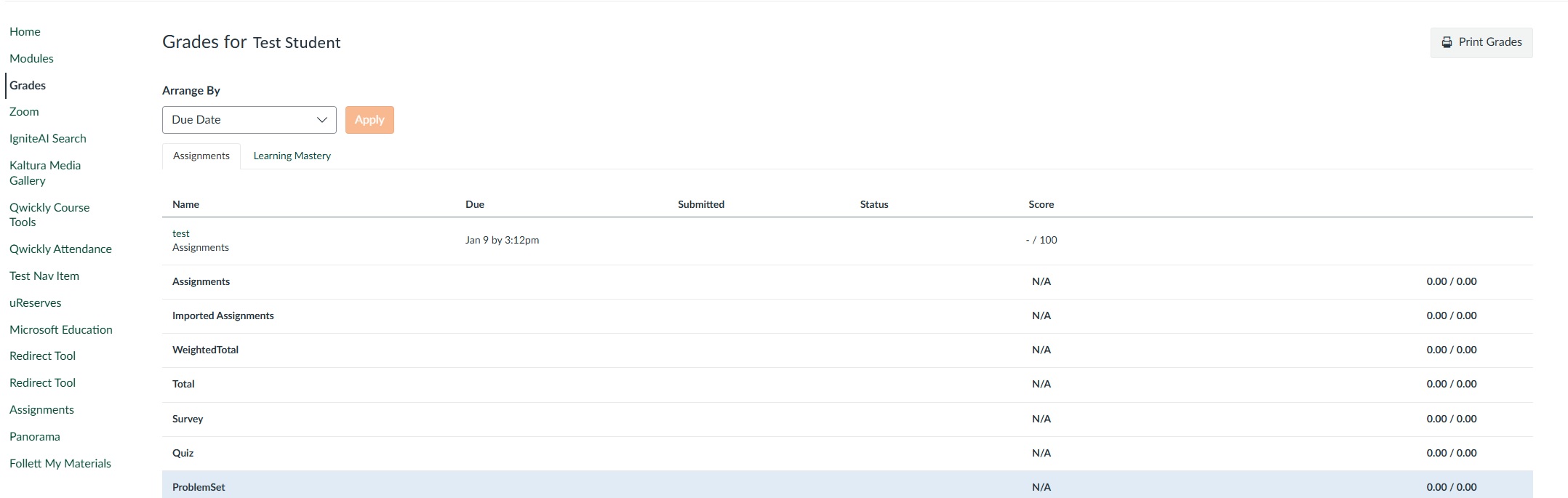
  • Observers are only able to view a student’s “Grades” area for the students they are associated to. They will not be able to view grades for any other students in the course.
  • Observers cannot submit work on behalf of the students they observe, but they can see student grades, assignments and events, and course interactions.

Observer View of Course

Observer View of the Course


How can you review if you have observers in a course?

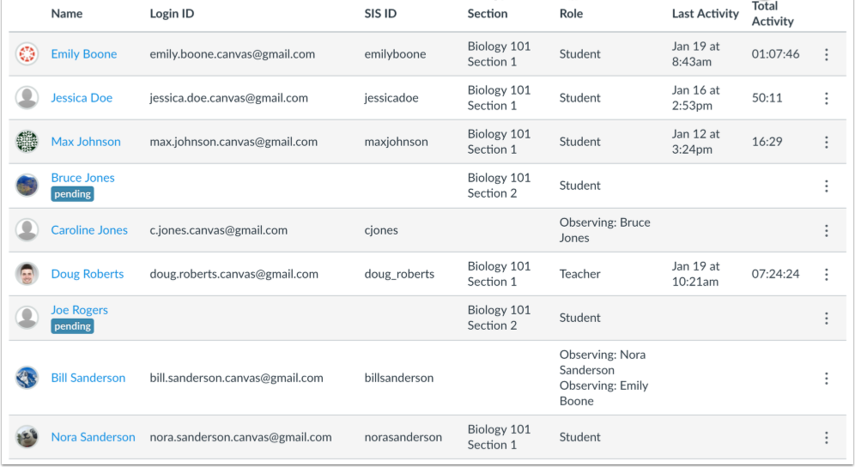
  • Instructors can see which students have Observer roles linked to them by going to the People page within the course, and the observers will be listed in the Role column.


Observers Associated with Student

Observers Associated with the Student


Top